

一、前言
平常写一些测试程序,文件比较小,打开vs实在有点麻烦。之前用notepad+gcc但是涉及到头文件问题,就比较头疼了。之后更换了vscode,python用的很好,而且还有markdown,所以该把c语言环境移植一下了。
二、准备工作
1、vscode
2、MinGW
三、开始
添加vs插件
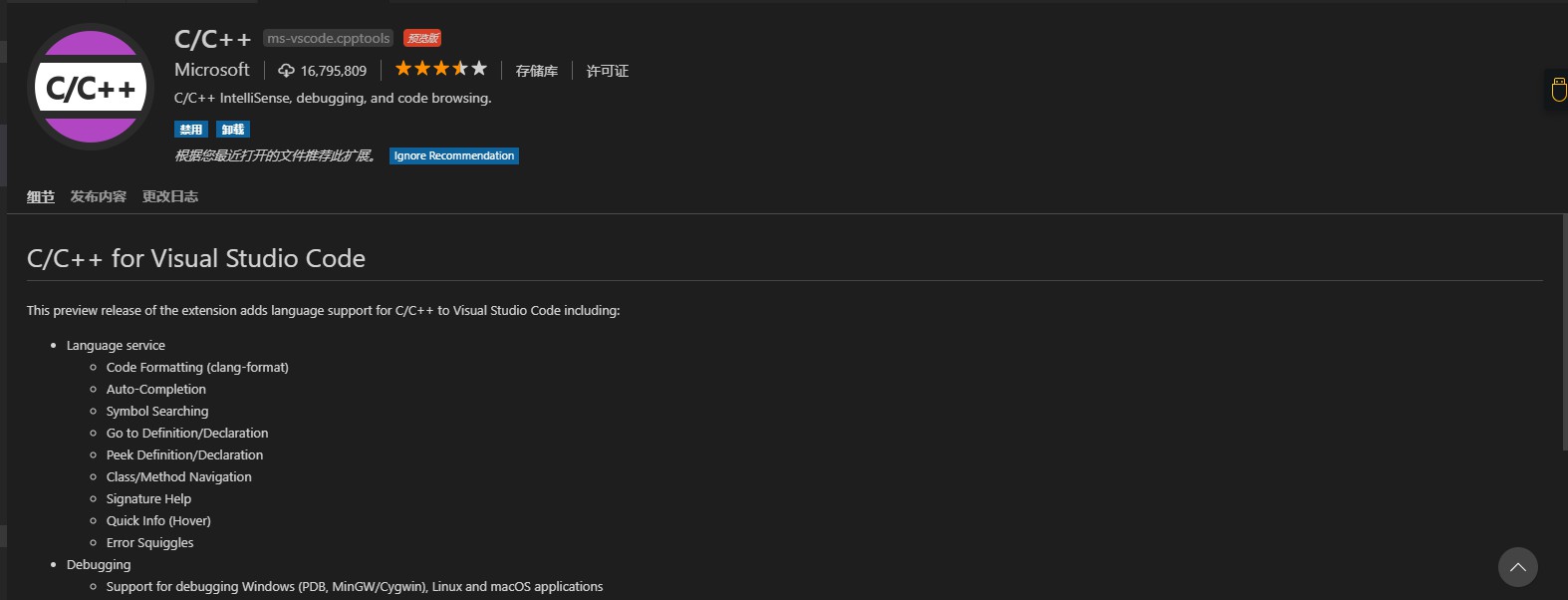 直接插件搜索“c”即可搜索到
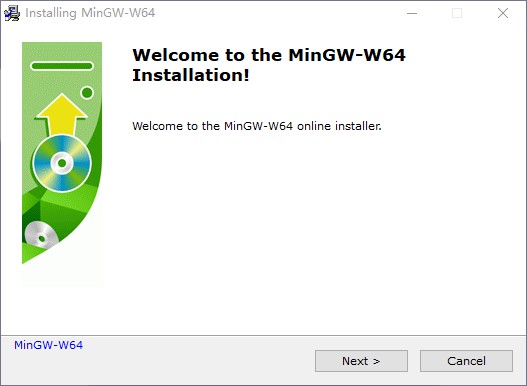
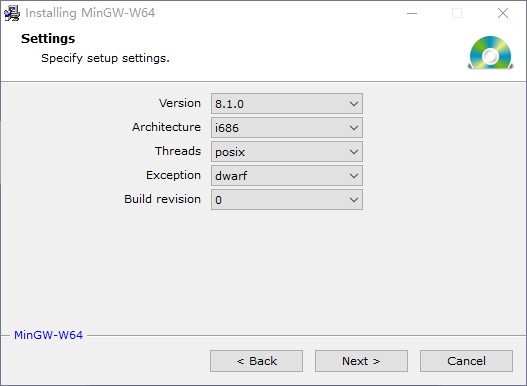
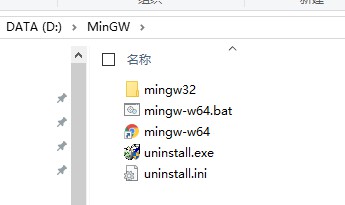
编辑启动文件
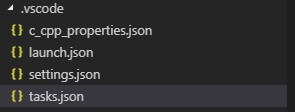
1.建立.vscode的文件夹,下有四个文件:c_cpp_properties.json,launch.json,settings.json,tasks.json
c_cpp_properties.json
{
    "configurations": [
        {
            "name": "Win32",
            "includePath": [
                "${workspaceRoot}",
                "D:/MinGW/mingw32/lib/gcc/i686-w64-mingw32/8.1.0/include/c++",
                "D:/MinGW/mingw32/lib/gcc/i686-w64-mingw32/8.1.0/include/c++/x86_64-w64-mingw32",
                "D:/MinGW/mingw32/lib/gcc/i686-w64-mingw32/8.1.0/include/c++/backward",
                "D:/MinGW/mingw32/lib/gcc/i686-w64-mingw32/8.1.0/include",
                "D:/MinGW/mingw32/lib/gcc/i686-w64-mingw32/8.1.0/include/c++/tr1",
                "D:/MinGW/mingw32/i686-w64-mingw32/include",
                "D:/MinGW/mingw32/lib/gcc/i686-w64-mingw32/8.1.0/include/c++/i686-w64-mingw32"
            ],
            "defines": [
                "_DEBUG",
                "UNICODE",
                "__GNUC__=6",
                "__cdecl=__attribute__((__cdecl__))"
            ],
            "intelliSenseMode": "msvc-x64",
            "browse": {
                "path": [
                    "${workspaceRoot}",
                    "D:/MinGW/mingw32/lib/gcc/i686-w64-mingw32/8.1.0/include/c++",
                    "D:/MinGW/mingw32/lib/gcc/i686-w64-mingw32/8.1.0/include/c++/x86_64-w64-mingw32",
                    "D:/MinGW/mingw32/lib/gcc/i686-w64-mingw32/8.1.0/include/c++/backward",
                    "D:/MinGW/mingw32/lib/gcc/i686-w64-mingw32/8.1.0/include",
                    "D:/MinGW/mingw32/lib/gcc/i686-w64-mingw32/8.1.0/include/c++/tr1",
                    "D:/MinGW/mingw32/x86_64-w64-mingw32/include"
                ]
            },
            "limitSymbolsToIncludedHeaders": true,
            "databaseFilename": ""
        }
    ],
    "version": 4
}
launch.json
{
    "version": "0.2.0",
    "configurations": [

        {
            "name": "C++ Launch (GDB)",                 // 配置名称,将会在启动配置的下拉菜单中显示
            "type": "cppdbg",                           // 配置类型,这里只能为cppdbg
            "request": "launch",                        // 请求配置类型,可以为launch(启动)或attach(附加)
            "launchOptionType": "Local",                // 调试器启动类型,这里只能为Local
            "targetArchitecture": "x86",                // 生成目标架构,一般为x86或x64,可以为x86, arm, arm64, mips, x64, amd64, x86_64
            "program": "${file}.exe",                   // 将要进行调试的程序的路径
            "miDebuggerPath":"D:\\MinGW\\mingw32\\bin\\gdb.exe", // miDebugger的路径,注意这里要与MinGw的路径对应
            "args": ["blackkitty",  "1221", "# #"],     // 程序调试时传递给程序的命令行参数,一般设为空即可
            "stopAtEntry": false,                       // 设为true时程序将暂停在程序入口处,一般设置为false
            "cwd": "${workspaceRoot}",                  // 调试程序时的工作目录,一般为${workspaceRoot}即代码所在目录
            "externalConsole": true,                    // 调试时是否显示控制台窗口,一般设置为true显示控制台
            "preLaunchTask": "g++"                    // 调试会话开始前执行的任务,一般为编译程序,c++为g++, c为gcc
        }
    ]
}
settings.json
{
    "files.encoding": "gb2312"
}
tasks.json
{
    "version": "2.0.0",
    "command": "g++",
    "args": ["-g","${file}","-o","${file}.exe"],    // 编译命令参数
    "problemMatcher": {
        "owner": "cpp",
        "fileLocation": ["relative", "${workspaceRoot}"],
        "pattern": {
            "regexp": "^(.*):(\\d+):(\\d+):\\s+(warning|error):\\s+(.*)$",
            "file": 1,
            "line": 2,
            "column": 3,
            "severity": 4,
            "message": 5
        }
    }
}
可能出现的问题
1.中文乱码
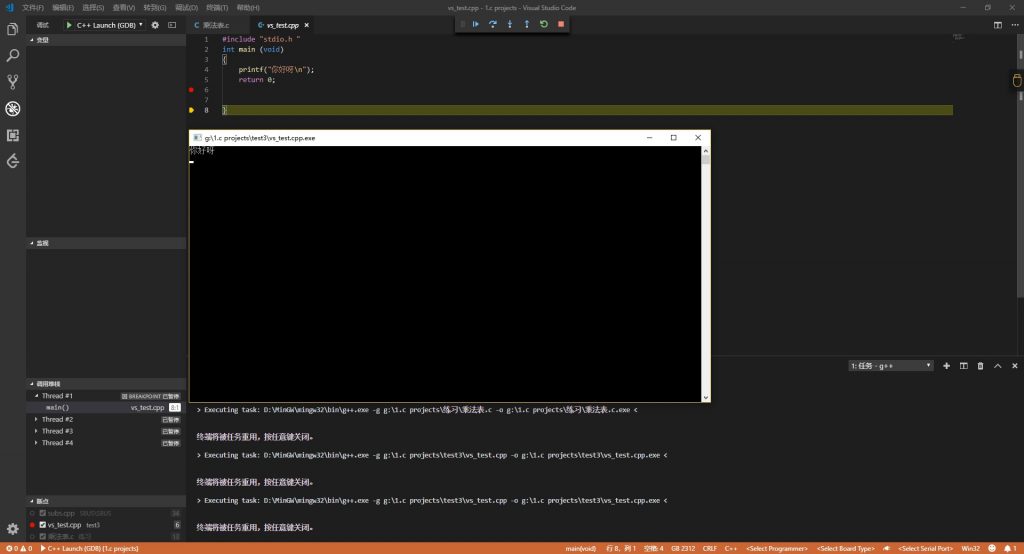
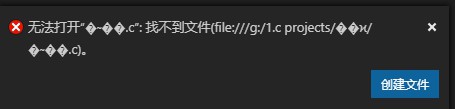
添加setting文件中更改utf-8为gb2312编码。但是文件名与文件夹名不能存在中文,否则无法调试(可以正常运行)。
2.出现g++ enonent
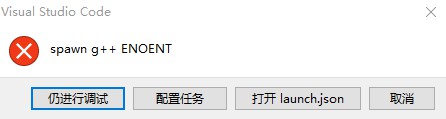
1. 检查”miDebuggerPath”的路径(launch.json),一定要是自己MinGW的路径。注意路径使用两个反斜杠“\”。 ( D:\\MinGW\\mingw32\\bin\\gdb.exe )
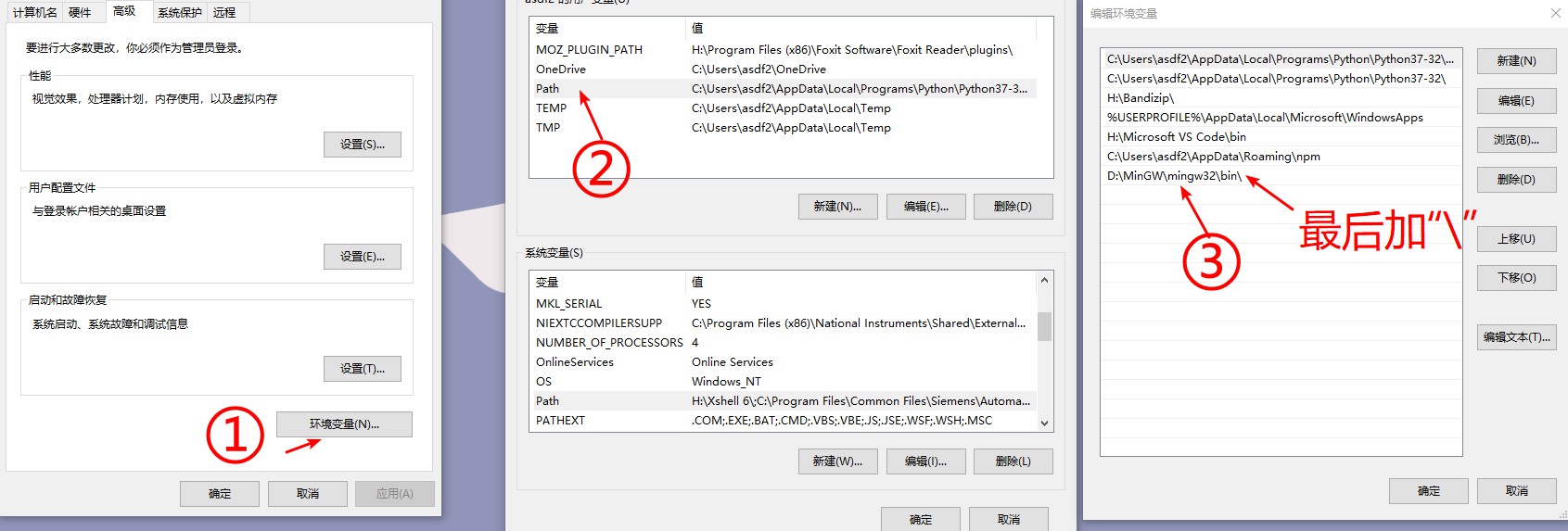
2. 检查环境变量的路径,在bin后面还要加上一个斜杠“\”,并且更改要重启软件后才能生效。
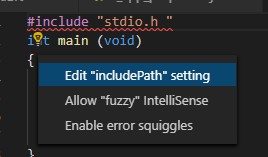
3.头文件找不到
1.检查c_cpp_properties.json中路径是否正确
2.点击小灯泡自动加入
Comments NOTHING